- Kontakt
-
stefan.bente[at]th-koeln.de
+49 2261 8196 6367
Discord Server
Prof. Bente Personal Zoom
- Adresse
-
Steinmüllerallee 1
51643 Gummersbach
Raum 3219
- Sprechstunde nach Vereinbarung
- Terminanfrage: calendly.com Wenn Sie dieses Tool nicht nutzen wollen, schicken Sie eine Mail und ich weise Ihnen einen Termin zu.
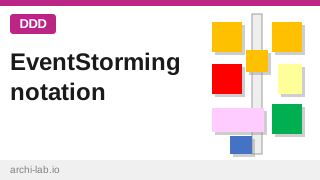
A compact reference of the sticky notes in an EventStorming workshop, in the order they are introduced: domain events, hotspots, pivotal events, actors, external systems and opportunities for the big picture, plus commands and aggregates for the design level. With the printable cheat sheet.
This page is the reference for the sticky notes used in an EventStorming workshop. It goes with the printed cheat sheet (PDF) that comes with the archi-lab EventStorming box, and explains each item a little more fully than the cheat sheet has room for. How the method works as a whole is described on the EventStorming page. The notation follows Alberto Brandolini’s book Introducing EventStorming ([Brandolini, 2021]).
Write the legend on a whiteboard next to the wall, and introduce one kind of sticky at a time. Seeing all of them at once in the first minutes confuses people more than it helps.
Big picture workshop
Picture Workshop is the first step in an event storming process. It’s where you get an understanding of the domain, by exploring what actually happens in the system. The usual sequence of a Big Picture workshop has eight steps. Six of them add a kind of sticky (Post-IT). They are explained here.
Domain events

A domain event is something that has happened in the domain and that a domain expert cares about. It is written as a verb in the past tense: “Item added to cart”, not “Add item to cart”. Events can happen before, during or after anyone uses an IT system, so a phone call or a delivery at the back door counts as much as a click. A click itself is usually not the event; the event is the fact that holds afterwards. When putting events to the wall you should try to put them in chronological order, from left to right.
Hotspots
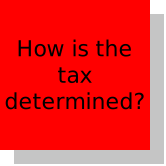
A hotspot marks a pressing question, a conflict or an inconsistency: two people describe the same step differently, nobody knows who decides something, or a rule only exists in someone’s head. Do not go looking for hotspots. Note one when it comes up and matters, and move on. Hotspots keep the discussion from getting stuck, and they show afterwards where the open questions are. Rule of thumb: Issues you can ask the business people in the room about, and by that resolve the question, don’t count as a hotspot.
Pivotal events

Pivotal Events are the few most significant events in the flow - the points where the story changes phase. After a pivotal event, the topic, the people involved or the language often change. Other actors get involved, other IT systems will be used. Domain experts recognize this as a kind of “handover” from one context to another. Pivotal Events are marked with a vertical strip of tape (or a line) that runs through the event across the whole height of the wall. They split the timeline into sections, and these sections are good first candidates for the boundaries between subdomains, which is where the later work on bounded contexts starts.
Actors
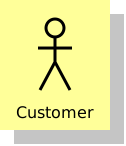
An actor is a person or a role that does something in the flow. Actors can be concrete people or (better) roles. A more specific persona often helps, even something like “angry customer”, because it reminds the group that the same role can behave very differently.
External systems
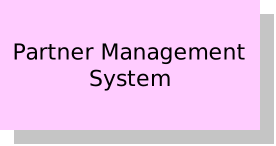
An external system is an IT system outside our own control. It can belong to another company, such as a credit card provider, or it can be internal but outside the scope of our project. External systems mark the places where the flow depends on something we cannot change.
Opportunities
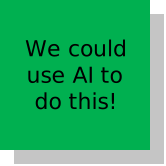
An opportunity is an idea that may be beyond the scope right now: an improvement, a new feature, a candidate for a later release. Writing it down lets the group keep it without letting it derail the discussion of how things work today.
Design level workshop
You can follow up a Big Picture Workshop with a Design Level Workshop, where you go more into details. If you don’t want to draw the line between the two workshop types in a too-puristic fashion, then you can add these two stickies in the Big Picture Workshop as well. However be aware that this is usually too much for one workshop day.
The Design Level Workshop comprises more stickies than the ones listed here. But this is often out of scope when using EventStorming in practice, so they are omitted here.
Commands
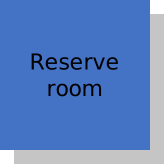
A command is an intention or a decision that triggers an event. It is written in the present tense, as an imperative: “Reserve room”. A command can come from a user, from a system, from another domain event, or be left unspecified, and it is directed at a system or an aggregate. The difference to an event matters: a command can still be rejected, an event has already happened.
Aggregates
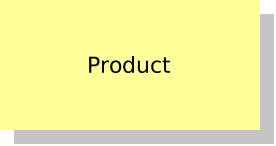
An aggregate here is meant in the DDD sense, but in the workshop it is enough to call it an important business object: the thing that receives a command and from which the resulting event comes. Do not try to find the final name now. Names can change later, once the model is better understood.